Chess Club Spring Update
Full breakdown of Spring features, rating changes, temporary tournament disable, and what to do after you update.
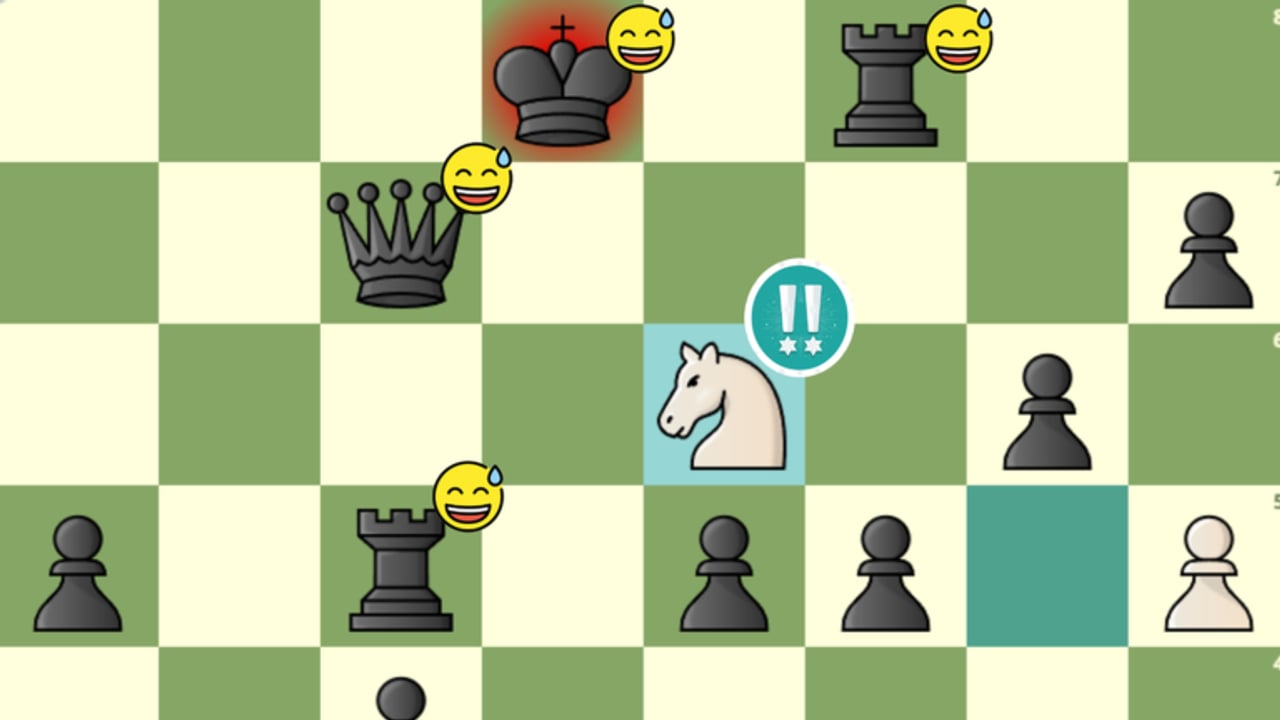
The Chess Club Spring Update from the Aureus Chess Club team is one of the largest quality-of-life and systems patches the experience has seen. It resets ratings, ships new board tools, refreshes menus, and adds beta learning features—while temporarily pausing tournaments. This article collects the known patch notes into a practical changelog so you know what changed and what to do next. For ongoing patches, watch the Updates Hub.
Headline changes at a glance
New features
- Game-wide rating reset (players restart near the ~1000 area).
- Arrows and highlights on the 2D board.
- New 2D and 3D piece sets.
- Game explorer (beta).
- New tutorial (beta).
- New map decorations.
- Eight new background music tracks.
- Commands available in a panel using
;.
Systems changes
- Updated menus: match setup, player info, 2D board, settings, and server browser.
- Upgraded rating system.
- Improvements to commands.
- Updated 2D set customization.
Additional information from the announcement
- Tournaments are temporarily disabled.
- Some memberships may need restoration through support.
- Role updates after purchases may take time to appear.
Rating reset and upgraded rating system
Spring rebuilds competitive standings. A game-wide reset drops displays back toward a shared baseline around 1000, then the upgraded rating system recalibrates as you play ranked Bullet, Blitz, and Rapid. Old peaks become history. Early games swing more while the pool sorts itself.
Player actions:
- Do not panic-queue fifty tilted Bullet games on day one.
- Read Ratings Explained so the three ladders make sense.
- Follow climbing habits in the Ranked Guide.
- Treat post-reset leaderboards as fresh—mid-1400 top-10 cuts from earlier eras may take time to reappear.
Skill did not erase; the number format did. Experienced players still play like experienced players even when the UI says 1000.
Board arrows, highlights, and new sets
Competitive clarity gets a boost. Arrows and highlights on the 2D board let you mark threats, plan maneuvers, and teach friends visually. Combine them with new 2D/3D piece sets and updated 2D customization to build a high-contrast setup.
Recommendations:
- Main 2D for serious rated play if you want the new drawing tools.
- Pick piece sets where king and queen are unmistakable on mobile.
- Practice arrows in casual games before relying on them in Rapid.
- Full setup tips live in Controls and Boards.
Cosmetics remain cosmetic—Premium cash bonuses may help you unlock sets faster, but they do not change legal moves.
Game explorer (beta)
The game explorer (beta) supports reviewing games more like a modern chess site. Use it after tough losses to find the first mistake instead of only rematching on emotion. Beta means expect rough edges; if a game fails to load, save PGN when available and try again later.
Study loop:
- Play a rated game.
- Open explorer or PGN.
- Write one lesson.
- Apply it in the next session—not ten minutes of self-blame.
New tutorial (beta)
Spring ships a new tutorial (beta) for players still learning chess or returning after a break. Complete it before diving into ranked if piece movement is fuzzy. Veterans can skip ahead to human games or AI drills. Badge hunters still chase Defeat AI separately—see How to Beat AI.
New players should also skim Getting Started so lobby navigation matches the refreshed menus.
Commands panel with ;
Commands now open through a panel bound to ;, alongside broader command improvements. That reduces chat clutter and makes system actions easier to discover. Click into the experience so keyboard focus is correct, press semicolon, and explore the list after each patch in case new entries appear.
Menus, server browser, and map feel
Match setup, player info, 2D board settings, general settings, and the server browser all received updates. If your hall feels empty, hop servers instead of idling. New map decorations and eight music tracks refresh the club atmosphere—lower music volume if it competes with your concentration during Bullet.
Tournaments temporarily disabled
The announcement is explicit: tournaments are temporarily disabled during this rollout. The historic “every two hours�?cadence from older descriptions is paused until the team re-enables events. Use the downtime to sharpen rated play and openings. Full event prep advice sits in Tournaments.
When tournaments return, expect crowds—arrive early.
Memberships, roles, and support
Spring notes that some memberships may need to be restored through support, and that role updates after purchases may take time. If Premium perks or roles look missing after you update:
- Relog and wait a reasonable delay.
- Confirm the purchase on Roblox.
- Contact official Aureus Chess Club support channels—not random Discord middlemen.
- Never share passwords.
Membership issues are separate from rating math. Fixing Premium will not refund imagined Elo, and rating resets will not delete your need to restore a membership if it glitched.
What did not replace fair play
Anticheat and bot detection remain part of Chess Club’s identity. New tools are for humans. Do not “adapt�?to the reset with engines or auto-play helpers. Community script lists on Scripts are not patch notes and not permission slips.
Post-update checklist
- Launch Chess Club and claim orientation time in the decorated hall.
- Open settings; confirm 2D/3D preference and sound.
- Try
;once so the commands panel works. - Draw a test arrow on 2D in a casual game.
- Play a short AI or tutorial session if you are rusty.
- Start ranked slowly; accept the ~1000 baseline.
- Check whether tournaments are still disabled before waiting in the hall.
- Verify Premium/roles; ticket support if needed.
- Redeem any fresh Codes.
- Browse Tier List resources only after your UI feels comfortable.
How Spring changes your week-one plan
Casual players: Enjoy music, decorations, and new sets. Try the tutorial beta.
Rated grinders: Treat the reset as a season start. Main one time control. Review with explorer.
Tournament enjoyers: Train openings and stamina offline from events until the disable lifts.
Content creators: 3D sets and hall deco are great footage; flip to 2D when you need accurate commentary boards.
Known unknowns and beta expectations
Explorer and tutorial are labeled beta. Features may lag, reset, or change wording. If something listed here disappears in a hotfix, trust the live client and later posts on the Updates hub. This page captures the Spring announcement package: reset, arrows, sets, explorer, tutorial, deco, music, ; panel, menu upgrades, rating system upgrade, tournament pause, and membership caveats.
Final thoughts
Spring is less about a single new game mode and more about modernizing Chess Club into a clearer competitive chess client inside Roblox. Reset your expectations with your rating, learn the 2D tools, be patient with betas, and stay sportsmanlike while tournaments sleep. When you are done reading patch notes, go play a thoughtful Blitz game—then review it. That loop is the real endgame of the update.
Return to the Wiki for navigation across codes, guides, players, and scripts whenever the next season drops.
Frequently Asked Questions
Quick answers to the most common Chess Club questions.
Did the Spring Update reset everyone’s rating?
Yes. It included a game-wide rating reset with players starting near the ~1000 range, plus an upgraded rating system for recalibration.
Are tournaments available after Spring?
The announcement temporarily disabled tournaments. Check the live client and later update posts for re-enable news.
What is the semicolon key for?
Press ';' to open the commands panel added in Spring, which improves access to club commands without relying only on chat.
My Premium perks disappeared after the update. What now?
Some memberships may need support restoration, and roles can delay after purchases. Relog, wait briefly, then contact official support if needed.
Where should I learn the new board tools?
Use a casual 2D game to test arrows and highlights, then read the Controls and Boards guide for PC and mobile setup tips.